UX CASE STUDY

UX CASE STUDY

duration

duration

8 weeks

8 weeks

Project Type

Project Type

Internship Project

Internship Project

my role

my role

UX & UI Design

UX & UI Design

OVERVIEW

OVERVIEW

Orbit Shift had 4,000 active users and a credibility problem. The visual language read as a developer's internal tool, the phase structure had no behavioural scaffolding, and an estimated 1,400 students were disengaging before completing the process. This is a redesign of the entire student facing product; landing page, problem discovery, and all 7 innovation phases.

The platform didn't match the pedigree

Of the 4,000 students actively using Orbit Shift, an estimated 1,400 struggled to understand what the organization behind the platform actually did and couldn't navigate the 7-phase process confidently enough to complete it. That's 35% of the active user base disengaging from a platform backed by a 30-year consulting firm with clients like Tata, Mahindra, and Johnson & Johnson.

What is Orbit Shift?

Orbit Shift is Erehwon Innovation Consulting's platform for students aged 16-22 to tackle real corporate problem statements through a structured 7-phase innovation framework.

The problem wasn't adoption it was attrition

The problem wasn't adoption it was attrition

Students aged 16-22 using Orbit Shift for the first time fail to establish trust in the platform and disengage from the 7-phase innovation process because the visual language signals an internal tool rather than a professional problem solving environment, and the phase structure offers no behavioral scaffolding leading to an estimated 35% of active users experiencing navigational confusion and incomplete phase engagement.

How the Problem Was Found and Validated

Deep Dive into Global

Health & User Sentiments

User Walkthroughs

User Walkthroughs

Walkthroughs were conducted with students navigating from landing page through all the 7 phases while thinking aloud. 5 consistent findings surfaced.

Walkthroughs were conducted with students navigating from landing page through all the 7 phases while thinking aloud. 5 consistent findings surfaced.

90% Gap

According to the CDC, nearly 9 out of 10 adults struggle to understand routine medical advice and health statistics.

Cognitive Load

A standard Comprehensive Metabolic Panel (CMP) contains over 14 distinct biomarkers and 30+ numerical data points, creating immediate cognitive load.

Forgotten Info

40-80% of the medical information patients receive is forgotten immediately, and nearly half of what is remembered is incorrect.

72% Reliance

72% of internet users say they looked online for health information within the past year.

40% Anxious

Research shows that 40% of people who self-diagnose online report increased anxiety levels afterward.

12% Proficient

Only 12% of adults have "proficient" health literacy skills required to navigate our complex health system.

Portal Drop-Off

While 90% of hospitals offer patient portals, only 15-30% of patients actively use them due to poor UX and complex interfaces.

Wait Time

The average wait time for a specialist appointment to explain a result is 2 weeks or more, leaving patients in limbo for a long time.

Visual Preference

Studies show that 93% of communication is nonverbal; patients understand visual graphs 3x faster than numerical tables.

Every student described the interface as an internal dashboard. Zero associated it with a professional consulting firm on first impression.

The flat Phase Activities checkboxes (Team Registration, Program Enrollment, Orientation) were being ticked without corresponding work being done. Nothing in the UI stopped them.

The old Ideation canvas a freeform mind-map with sticky nodes produced the most consistent response,

"I don't know where to start."

When asked to choose a Corporate Problem to adopt, students spent 40+ seconds scanning cards before deciding because all cards looked identical with no scannable hierarchy.

When asked to describe the platform to a friend, students used,

"complicated"

"overwhelming"

"hard to know where to start."

Heuristic Evaluation

Heuristic Evaluation

A structured audit of the live product surfaced 4 violations.

A structured audit of the live product surfaced 4 violations.

Inside each phase, there was no navigation aid. No sub-step progress, no completion state, no indication of how far into a phase a student actually was.

Inside each phase, there was no navigation aid. No sub-step progress, no completion state, no indication of how far into a phase a student actually was.

Phase names such as "Excite & Enrol," "Creative Ideation," "Conceptual Solution" came from internal process documents, not student language. "Excite & Enrol" was consistently read as a one-time signup step, not a creative phase.

Phase names such as "Excite & Enrol," "Creative Ideation," "Conceptual Solution" came from internal process documents, not student language. "Excite & Enrol" was consistently read as a one-time signup step, not a creative phase.

The Project Overview Page loaded phase navigation, activity checklists, problem context, image upload, notes, and peer reviews simultaneously on one scroll with no visual hierarchy between them.

The Project Overview Page loaded phase navigation, activity checklists, problem context, image upload, notes, and peer reviews simultaneously on one scroll with no visual hierarchy between them.

Yellow (#F8DC00) appeared on badge pills, headings, icon borders, progress labels, CTAs, and decorative dividers simultaneously losing all directional meaning.

Yellow (#F8DC00) appeared on badge pills, headings, icon borders, progress labels, CTAs, and decorative dividers simultaneously losing all directional meaning.

Benchmark data point

Benchmark data point

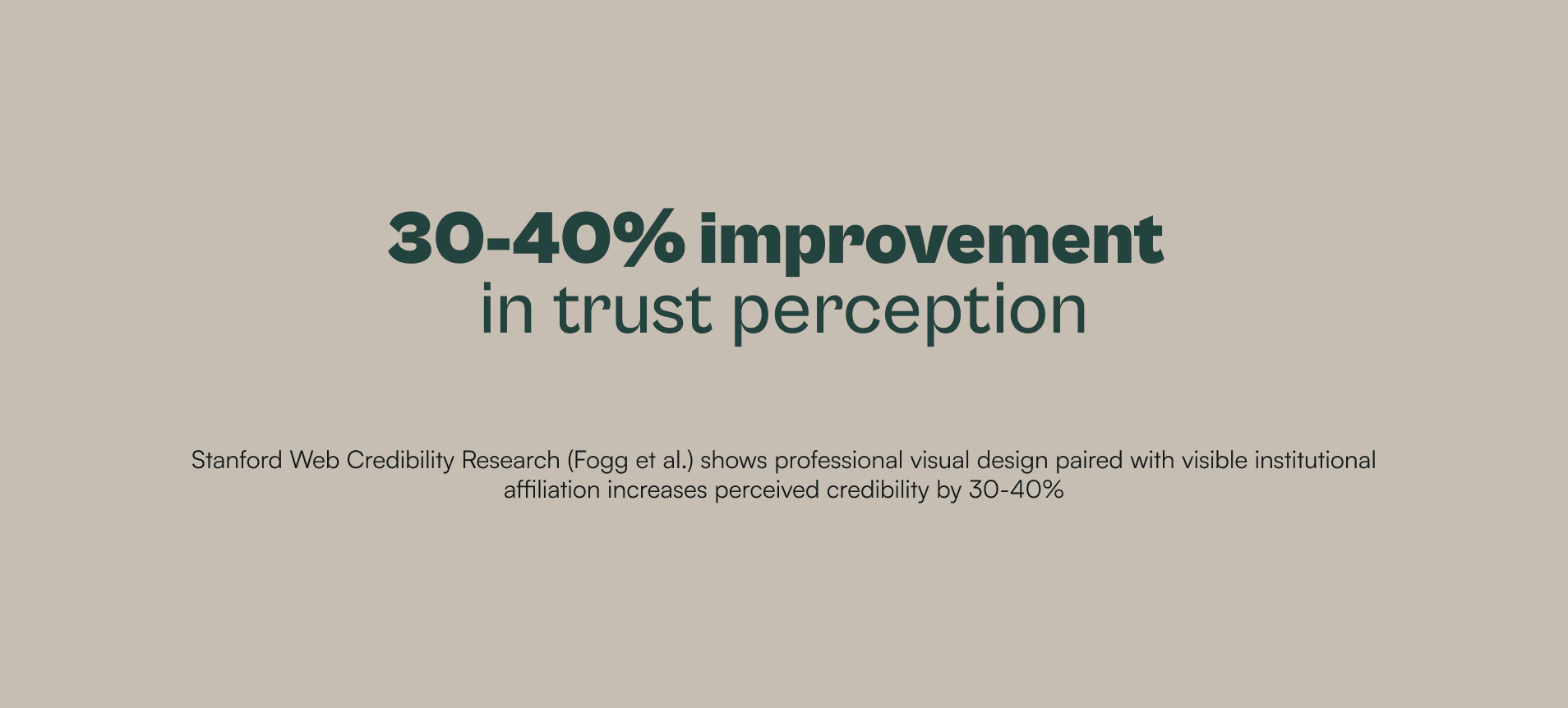
Nielsen Norman Group research on progress indicators in multi-step flows shows visible sub-step completion reduces task abandonment by 20-28% vs flows with no completion feedback. Orbit Shift had a phase stepper but no sub-step state, students got phase-level visibility but no signal for whether any individual task was done.

Nielsen Norman Group research on progress indicators in multi-step flows shows visible sub-step completion reduces task abandonment by 20-28% vs flows with no completion feedback. Orbit Shift had a phase stepper but no sub-step state, students got phase-level visibility but no signal for whether any individual task was done.

Three Directions Explored - Two Rejected

Three Directions Explored - Two Rejected

Fix the Dark Theme, Don't switch to Light (Rejected)

Improve typographic hierarchy and restrict yellow to CTAs but keep the black background and existing visual identity.

But the credibility misread was happening in under 10 seconds, before students reached any navigation element.

Improve typographic hierarchy and restrict yellow to CTAs but keep the black background and existing visual identity.

But the credibility misread was happening in under 10 seconds, before students reached any navigation element.

Full Rebrand, New Visual Identity (Rejected)

Treat the project as a ground-up visual redesign new color system, new typography, new component library.

Erehwon's colors & wordmark had established equity with existing users and corporate partners. A full rebrand would break institutional recognition for a problem that didn't require it.

Treat the project as a ground-up visual redesign new color system, new typography, new component library.

Erehwon's colors & wordmark had established equity with existing users and corporate partners. A full rebrand would break institutional recognition for a problem that didn't require it.

Light Base, Restricted Yellow, Rebuilt Phase Architecture (Accepted)

Switch to a light off-white base, restrict yellow to primary actions only, replace the flat checklist with a guided sub-step system with behavioural gates and visible completion states.

The light base resolved the credibility misread, restricting yellow resolved the directional signal problem, and the sub-step system resolved the checkbox-ticking behaviour and allowed guided navigation.

Switch to a light off-white base, restrict yellow to primary actions only, replace the flat checklist with a guided sub-step system with behavioural gates and visible completion states.

The light base resolved the credibility misread, restricting yellow resolved the directional signal problem, and the sub-step system resolved the checkbox-ticking behaviour and allowed guided navigation.

The trade-offs that had to be made

The trade-offs that had to be made

The solution ships sequential phase gates that prevent students from skipping ahead. While this structure supports beginners by providing clear guidance, it may not suit students who prefer a more flexible, self-directed approach to progressing through the work.

The solution ships sequential phase gates that prevent students from skipping ahead. While this structure supports beginners by providing clear guidance, it may not suit students who prefer a more flexible, self-directed approach to progressing through the work.

We prioritised structured ideation entry over open exploration. Students who arrive with a strong directional idea find the 5-idea gate unnecessary in the ideation page but blank page abandonment was the dominant failure mode, and a strong idea still satisfies the 5-idea minimum.

We prioritised structured ideation entry over open exploration. Students who arrive with a strong directional idea find the 5-idea gate unnecessary in the ideation page but blank page abandonment was the dominant failure mode, and a strong idea still satisfies the 5-idea minimum.

The solution ships a constrained "We will solve/help ___ for ___ toward ___" problem statement structure over a free text field. Students with multi-dimensional problems that don't fit neatly into three parts are forced to simplify prematurely a sacrifice accepted because free-text fields produced vague, unmeasurable problem statements that couldn't hold up in a corporate review.

The solution ships a constrained "We will solve/help ___ for ___ toward ___" problem statement structure over a free text field. Students with multi-dimensional problems that don't fit neatly into three parts are forced to simplify prematurely a sacrifice accepted because free-text fields produced vague, unmeasurable problem statements that couldn't hold up in a corporate review.

FINAL DESIGNS

FINAL DESIGNS

Landing Page

Landing Page

Old

Old

New

New

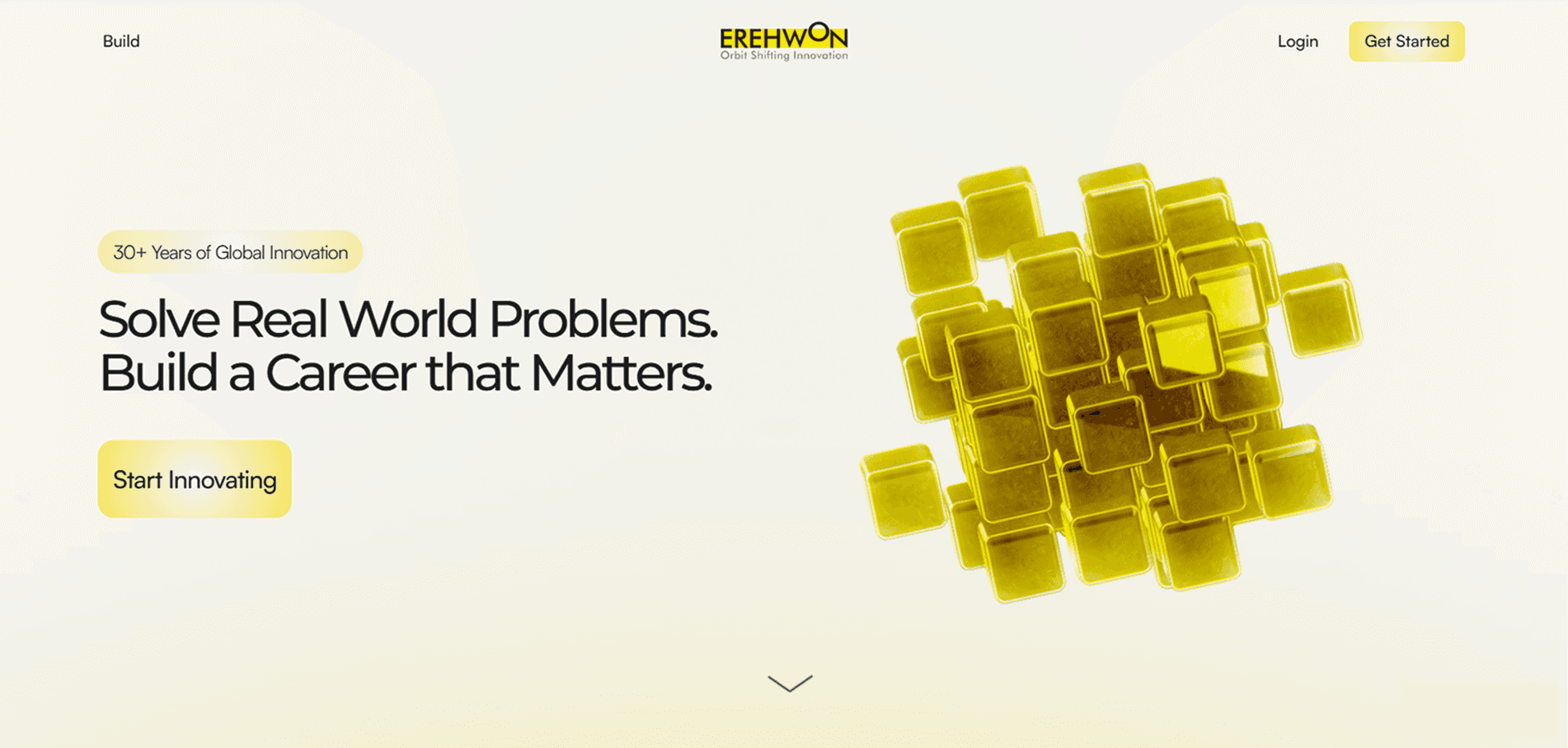
Leads with Erehwon's 30-year legacy and corporate partner names before any feature description. The redesign answers four unspoken questions in sequence:

What is this? → Is this legit? → What will I actually do here? → Am I ready to start?
Corporate Problems Page

Corporate Problems Page

Old

Old

New

New

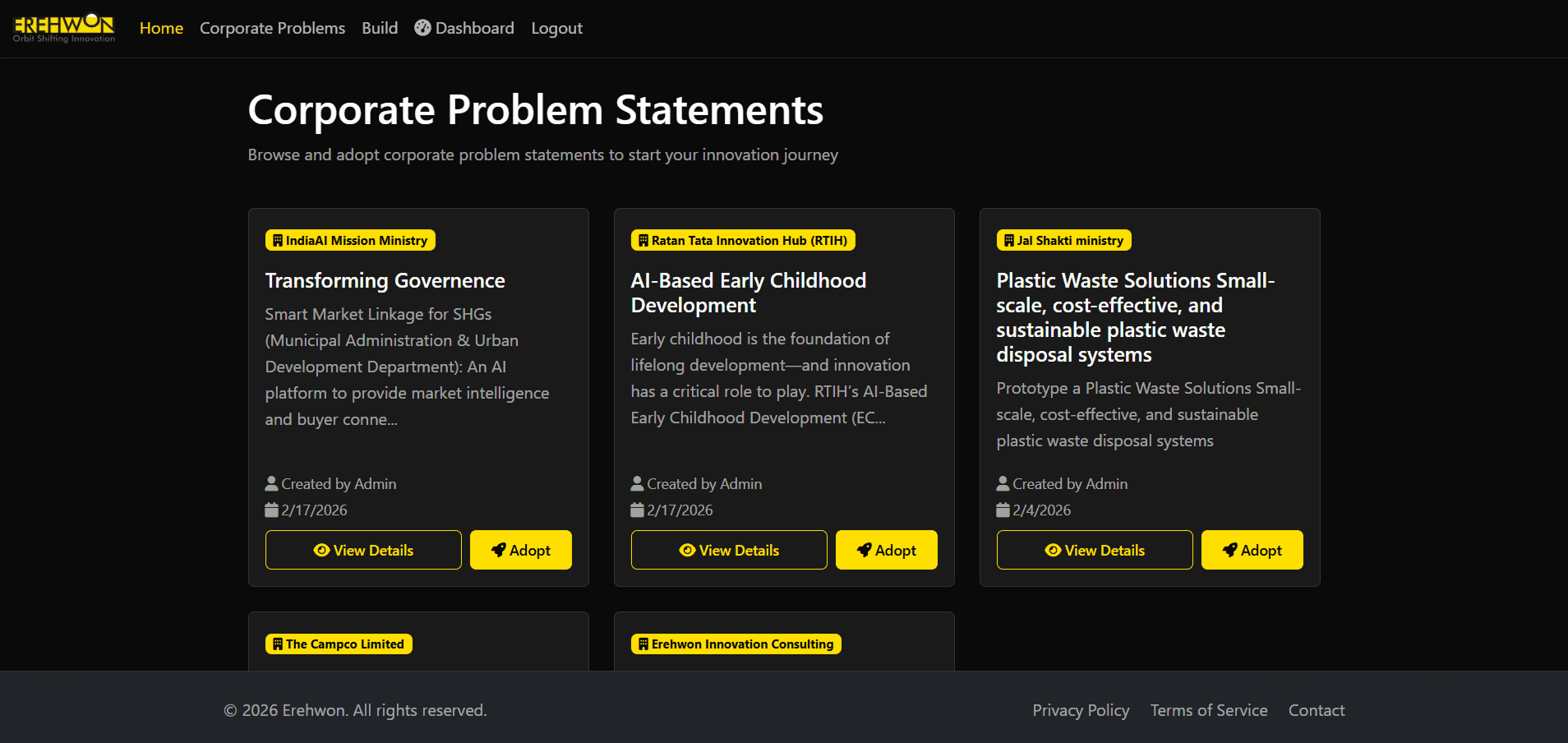
The tag (Incremental / Disruptive) reduced the information a student needs to process before making a decision. Skills gained pills show learning outcome for students without requiring them to read the full problem description first. Social proof reduces the anxiety of the student to go first.

Dashboard Page

Dashboard Page

Old

Old

New

New

The Original Dashboard showed everything a student hadn't done yet. The new progress bar shows what's been accomplished. Same information, opposite emotional framing. Nielsen Norman Group research on progress visualization shows forward-looking framing reduces perceived task burden.

Project Overview Page

Project Overview Page

Old

Old

New

New

The Original Project Overview had valid features but the phase activity sidebar with flat checkboxes didn't really show what the student had done. Expert Consultation was added in the redesign which gives students a structured way to unblock themselves during uncertainty without abandoning the process. Phase count indicator was also added so students now know their position in the overall journey at all times.

Phase 1 (Mission Launch)

Phase 1 (Mission Launch)

Old

Old

New

New

Phase 1 is changed from "Excite and Enrol" to "Mission Launch". And was split into 2 sub steps namely "Groundwork", "The Team". The Groundwork sub step anchors students to a real world SDG goal. The Team sub step treats team formation as a values exercise, not a signup form. Research on intrinsic motivation in educational contexts shows that when students articulate why they're here before they start, they carry that intent into every phase that follows.

Phase 2 (Problem Discovery)

Phase 2 (Problem Discovery)

Old

Old

New

New

In the old design the student had to select a problem that was already adopted and perform no research and directly dive into ideas for the solution in the next phase.

Phase 2 is split into 3 sub steps namely "Challenge & Intent", "Problem Research", "Stakeholder Mapping". The table structure in the first 2 sub steps was a deliberate choice over free text fields. Students can't write "this is a big problem," they have to fill in a number and a source. The stakeholder sub step is designed in such a way that students have atleast 5 conversations from stakeholders and they can track the contact status with these stakeholders.

Phase 3 (Analysis)

Phase 3 (Analysis)

Old

Old

New

New

In the old design the same page was used for analysis and converge where the student could just view their ideations.

Phase 3 is split into 3 sub steps namely "Insight Records", "Synthesis & Prioritisation", "Problem Statement". The 1st sub step helps students understand the interviews that they took and make detailed notes on them. The 2nd sub step helps turn qualitative data into structured prioritized data to help understand which needs attention first. The 3rd sub step makes the student give a problem statement in a structure similar to the ones used in professional product briefs along with a digital commitment.

Phase 4 (Ideation)

Phase 4 (Ideation)

Old

Old

New

New

The old design was a freeform mind map canvas. Yellow sticky note nodes scattered on white background, connected by lines, and modals. There was no structure, no guidance, no completion state.

Phase 4 is split into 2 sub steps namely "Idea Generation", "SOTA Report". The 1st sub step removed the blank page syndrome and the tooltips help students with the process. This sub step follows progressive disclosure which acts like a reward system indirectly. The 2nd sub step is used for students to compare their multiple solutions with the existing ones in the market.

Phase 5 (Converge)

Phase 5 (Converge)

Old

Old

New

New

The old design had the same page being used for analysis and converge phase where students can just view the ideas they created.

Phase 5 is broken down to 1 sub step called "Feature Synthesis". Using all the ideas and requirements created by students in Phase 3 and Phase 4, students can use them to create features for their solution and group them if needed.

Phase 6 (Solution)

Phase 6 (Solution)

Old

Old

New

New

The old design was just one long form where students had to type the solution, its features and implementation, with no logic on how to make the solution, how to position it and how to execute it. And they could ask AI for solution.

Phase 6 is split into 3 sub steps namely "The Blueprint", "Market Logic", "Execution Roadmap". Using the 1st sub step students can map out the usp and the customer journey of the solution. They can then map out their business model and edge over the market products in the 2nd sub step. Finally they can set a development timeline, finances and users for testing in the 3rd sub step.
Phase 7 (Prototype)

Phase 7 (Prototype)

Old

Old

New

New

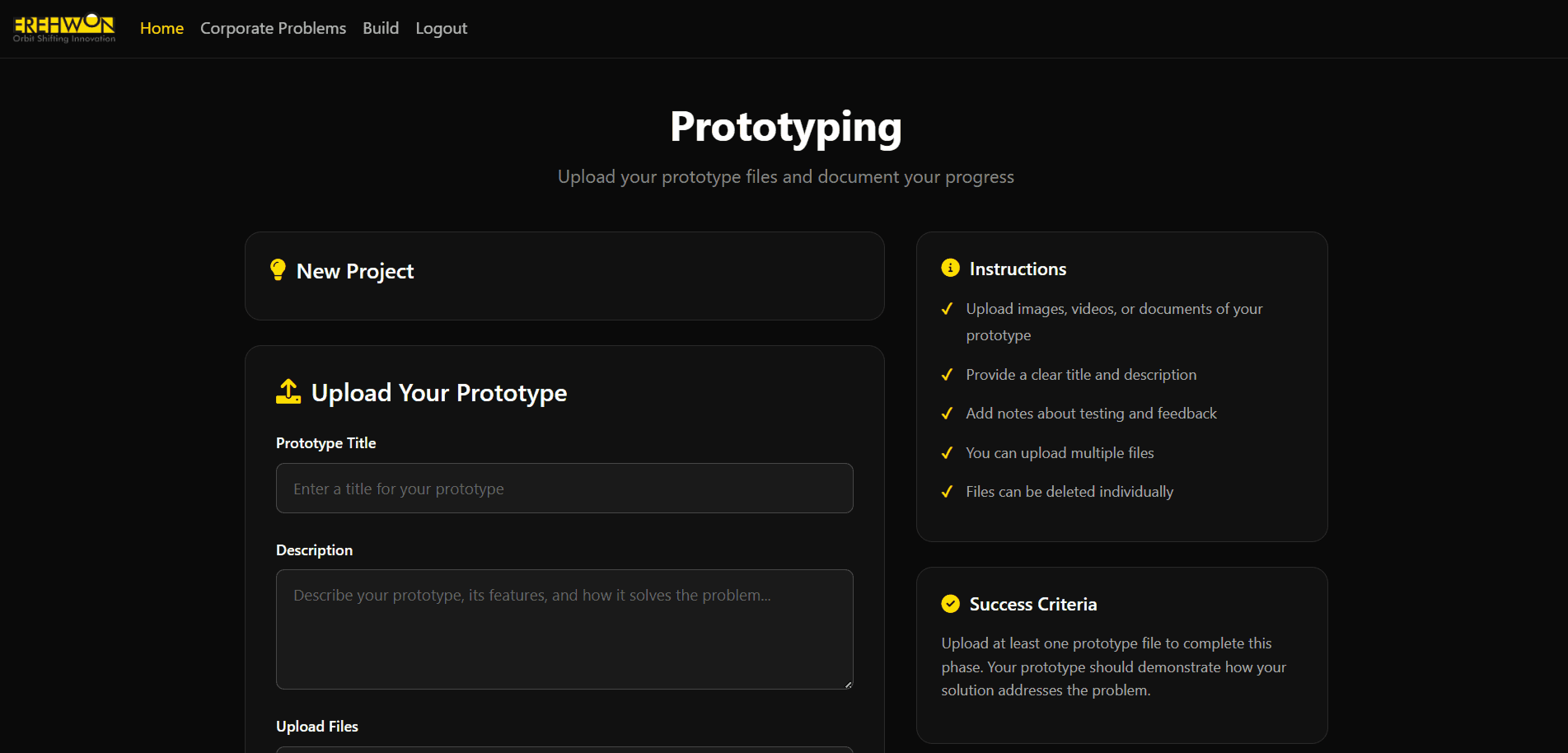
The old design contained lots of elements such as instructions card, success criteria, supported Formats. It was visually busy, the sidebar had lots of elements and students had to give more description of their solution.

Phase 7 has no sub steps, students just have to submit a document and can submit additional links if needed. It was decided to keep the final phase minimal and light as the students have described their solution to the fullest in the previous phases.

The Mechanic That Made Progress Real

The Mechanic That Made Progress Real

One of the most deliberate behavioral design decisions was how completion states communicate across phases.

Every phase has sub steps. Each sub step tab (on top of the page) has three states:

Not Started

In Progress

Sub Step Complete

Each sub step in each phase overview page has two states. The "Move To Next Step" button is activated only when all the sub steps are completed.

Therefore this system makes progress feel earned, not administrative.
ESTIMATED IMPACT

ESTIMATED IMPACT

Looking Back

Looking Back

What went well

What went well

The green completion system was the highest impact decision. Students were self-certifying progress with flat checkboxes. Making completion a visual state that the system awards, not the student declares changed the behavioural contract.

The 5-idea gate was the most counterintuitive decision - less freedom, more output. The constraint that felt restrictive to describe produced exactly the behavior the product needed.

Adding Expert Consultation to the Project Overview because the data showed students had no recovery path when they got stuck and adding one required no additional pages, just two CTAs in an existing screen.

What I'd Do With More Time or Data

Check if phases with the most gate friction (Phase 2 Stakeholder Mapping, Phase 4 SOTA Report) correlate with higher quality corporate submissions. If yes, the gates are producing quality, if no, they're producing compliance without it.

If there's high abandonment at Phase 4's 5-idea gate then the "Tutorial" button could be elevated to a soft mandatory step for first time users an opt in walkthrough that shows what a completed ideation phase looks like before students attempt their own.

The current component cost table (Phase 6) assumes students know what components their solution requires. A reference library of common hardware components and cost ranges would lower the assumption barrier without lowering the financial rigor standard.

LIVE WEBSITE

LIVE WEBSITE

Table Of Contents

Create a free website with Framer, the website builder loved by startups, designers and agencies.